
Check the page identity
Look at the domain, HTTPS indicator, page title and whether the design matches known public screenshots. A fake page may copy the surface while changing payment instructions.
LOGIN SAFETY GUIDE
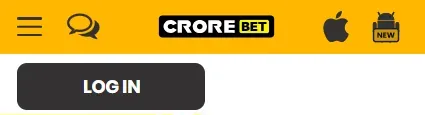
Crorebet screenshots have placed account controls in the desktop header and near the top of the mobile interface. The checks below cover password errors, OTP handling, account locks, fake support messages and suspicious redirects.
Public desktop materials have shown account areas after access, navigation bars and profile controls. Public mobile screenshots have shown login and registration buttons near the top of the screen or within a compact account area. These locations can change when an interface is redesigned.
Where the Login button has appeared is useful for recognising the interface, but it is not proof that the page is current, genuine or available. Always compare the domain spelling, HTTPS status, page layout, payment prompts and support links before entering a phone number, email address or password.

Login areas are commonly described with phone or email and password fields. Some public guides also mention forgotten password links, OTP verification, account locks and session logout behaviour. Treat those elements as interface explanations, not as a promise that recovery is always available.
If a recovery flow asks for an OTP, use it only inside the authenticated page that requested it. Never send an OTP, password, screen recording or payment proof to a private chat account that contacts you first.
On small screens, scroll this table sideways within the table area.
| Problem | Likely explanation | Safe action | Avoid |
|---|---|---|---|
| Login page does not load | Network issue, blocked page, changed route or old cached link. | Check the current interface and legal context. | Do not use mirror domains or bypass instructions. |
| Password rejected | Wrong password, keyboard issue, old saved password or account lock. | Use the visible recovery flow if the page is authenticated. | Do not pay anyone to reset it. |
| OTP not received | SMS delay, filtering, wrong number or restricted service. | Wait, check number format and avoid repeated attempts. | Do not share an OTP if it arrives later. |
| Account locked | Too many attempts, security review or policy restriction. | Use authenticated account support only. | Do not contact Telegram private accounts. |
| Unexpected payment requested | Fake recovery demand or support-fee scam. | Stop and record the request. | Do not send a fee to unlock login. |
| Support asks for OTP | High-risk impersonation attempt. | End the conversation and protect the account. | Do not send OTP, PIN or recovery code. |
| Different domain opens | Redirect, clone, ad link or outdated public guide. | Review spelling and source before entering details. | Do not assume it is genuine. |
| APK requests unusual permissions | Modified or unsafe app file. | Do not install and review device security. | Do not disable system protections. |
| Browser cache or device time error | Old cookies, stale session data or an incorrect clock can interrupt login checks. | Refresh the page, check device time and clear only site-specific browser data. | Do not turn off browser or device security features. |
| Shared device remains signed in | A previous session may remain visible on a borrowed phone or public computer. | Use session logout, close the browser and review saved-password settings. | Do not leave account pages open on shared devices. |
Safe troubleshooting stays within device, browser and authenticated recovery checks. If a problem points to a private support contact, recovery fee, different domain or unusual app permission, treat the issue as a security warning rather than an ordinary login error.
Look at the domain, HTTPS indicator, page title and whether the design matches known public screenshots. A fake page may copy the surface while changing payment instructions.
Browser cache, wrong device time and unstable networks can cause login errors. Clear only your browser cache for the page; do not turn off security tools.
Do not save passwords on borrowed phones or public computers. Log out and close the browser after reviewing an account area.
Unsolicited support accounts that ask for OTPs, fees, remote-control apps or screenshots of private pages should be treated as suspicious.
A safe recovery flow should be visible from the account interface, explain what identifier is needed, and send verification to the method already linked to the account. The page should not ask for banking PINs, unrelated app permissions or a payment to recover access.
If the page is unavailable or an account is locked, avoid unofficial domains and keep a record of any suspicious recovery request. crorebet.wiki cannot reset passwords, retrieve accounts or open a Crorebet support session.
Understand the public account field layout before sharing personal details.
Read registration guideReview transaction references, recipient names and support-fee warnings.
Review payment checksRead identity, legal, licence and fraud reporting answers in one place.
Open FAQCrorebet desktop and mobile navigation screenshots
Checked: 20 July 2026
Used for: account-control and Login-button placement.
Government source: Promotion and Regulation of Online Gaming Rules, 2026. Gazette notification G.S.R. 303(E). Published: 22 April 2026. Used for: India legal context and effective date.
Publisher: crorebet.wiki
Last reviewed: 20 July 2026
Corrections: contact@crorebet.wiki